About SpearAtlas

Web delivery for mapping and reality capture projects

SpearAtlas helps mapping, inspection, photogrammetry, and reality capture businesses organize mission outputs—and deliver orthomosaics, 3D models, point clouds, reports, imagery, video, notes, and supporting files in one clearer client-facing experience.

Capture work does not end when the data is collected

After every mapping or reality capture project, teams still have to organize orthomosaics, 3D models, point clouds, inspection imagery, video, PDF reports, plans, and client notes. That process fragments quickly—especially when outputs live across drives, inboxes, generic file shares, and separate viewers.

A folder or email link is not a client experience. Photogrammetry and inspection deliverables lose clarity during handoff when stakeholders must dig through disconnected files without mission context.

  • Scattered folders, downloads, and viewer links
  • Weak context between maps, models, and reports
  • Clients stuck reviewing raw file dumps
  • Capture quality lost in presentation friction

Clean capture should lead to clean delivery

SpearAtlas is a cloud delivery platform for mapping, reality capture, inspection, photogrammetry, and commercial drone outputs. It organizes mission deliverables into structured rooms and presents them through a client-ready project link—so handoff becomes clearer, faster, and easier to trust.

  1. 01

    One project link

    Send clients a curated, read-only project experience instead of multiple folders, downloads, and scattered paths.

  2. 02

    Multi-format mission delivery

    Keep orthomosaics, 3D Space, reports, images, video, CAD/plans, embeds, and supporting files connected to the same mission.

  3. 03

    Client-ready presentation

    Structured rooms, delivery preview, and optional presenter identity make the handoff clearer and more professional.

  4. 04

    Built for mapping & reality capture

    Designed around commercial capture workflows—not generic file sharing or disconnected viewers.

Capabilities grounded in the Mission Hub

Each capability below reflects what SpearAtlas organizes and delivers today—from Mission Hub rooms and orthomosaics to measurements, annotations, video, images, PDF reports, and client handoff.

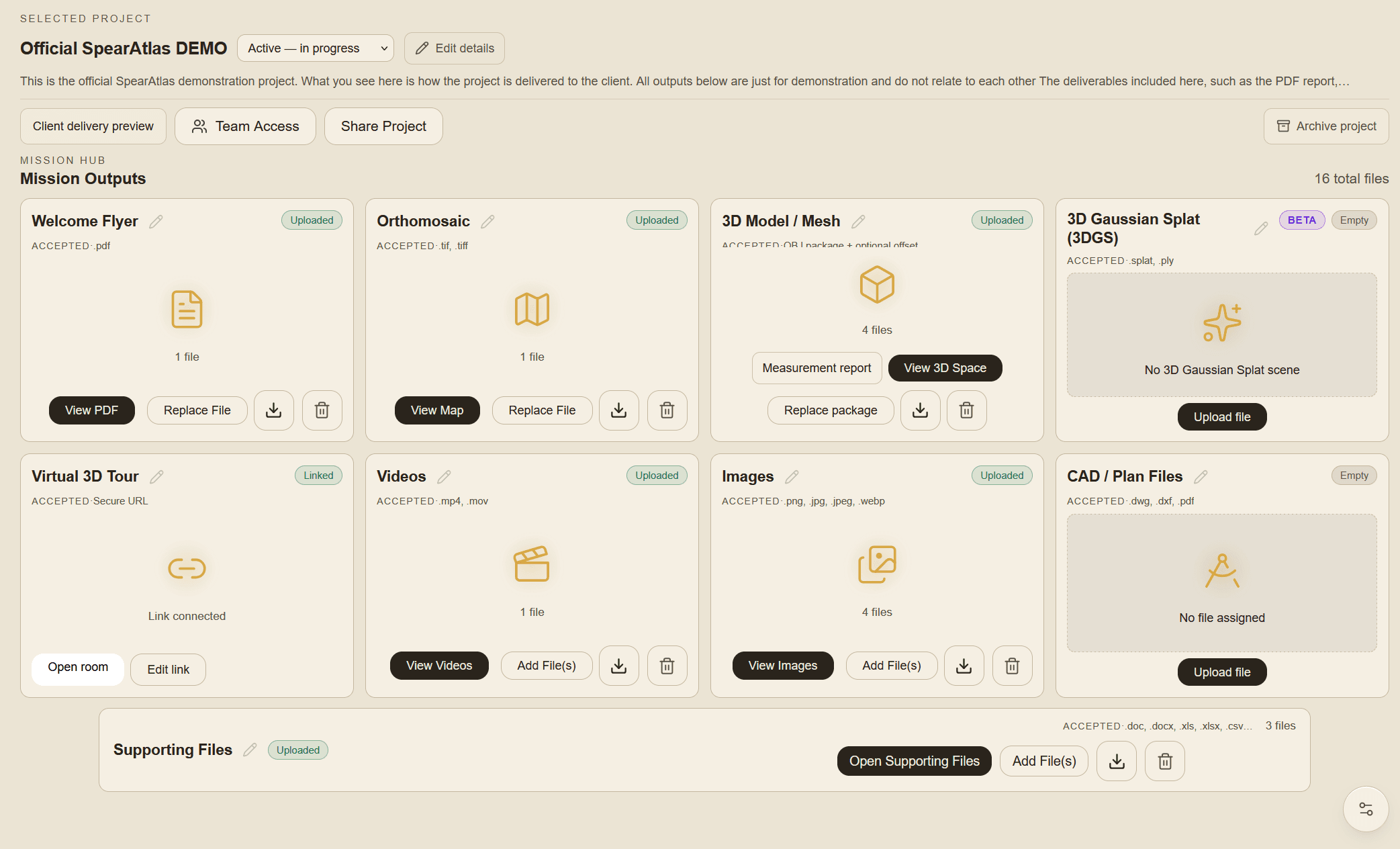
Mission hub with structured rooms for organizing mapping and reality capture deliverables

Mission Hub & structured rooms

Organize every mission output in one workspace—structured rooms instead of scattered folders, drives, and ad-hoc links.

  • Dedicated rooms for maps, 3D, media, reports, plans, and supporting files
  • Custom card titles and clear mission workflow status
  • Operator Client Delivery Preview before you share
  • Built for mapping and reality-capture project structure
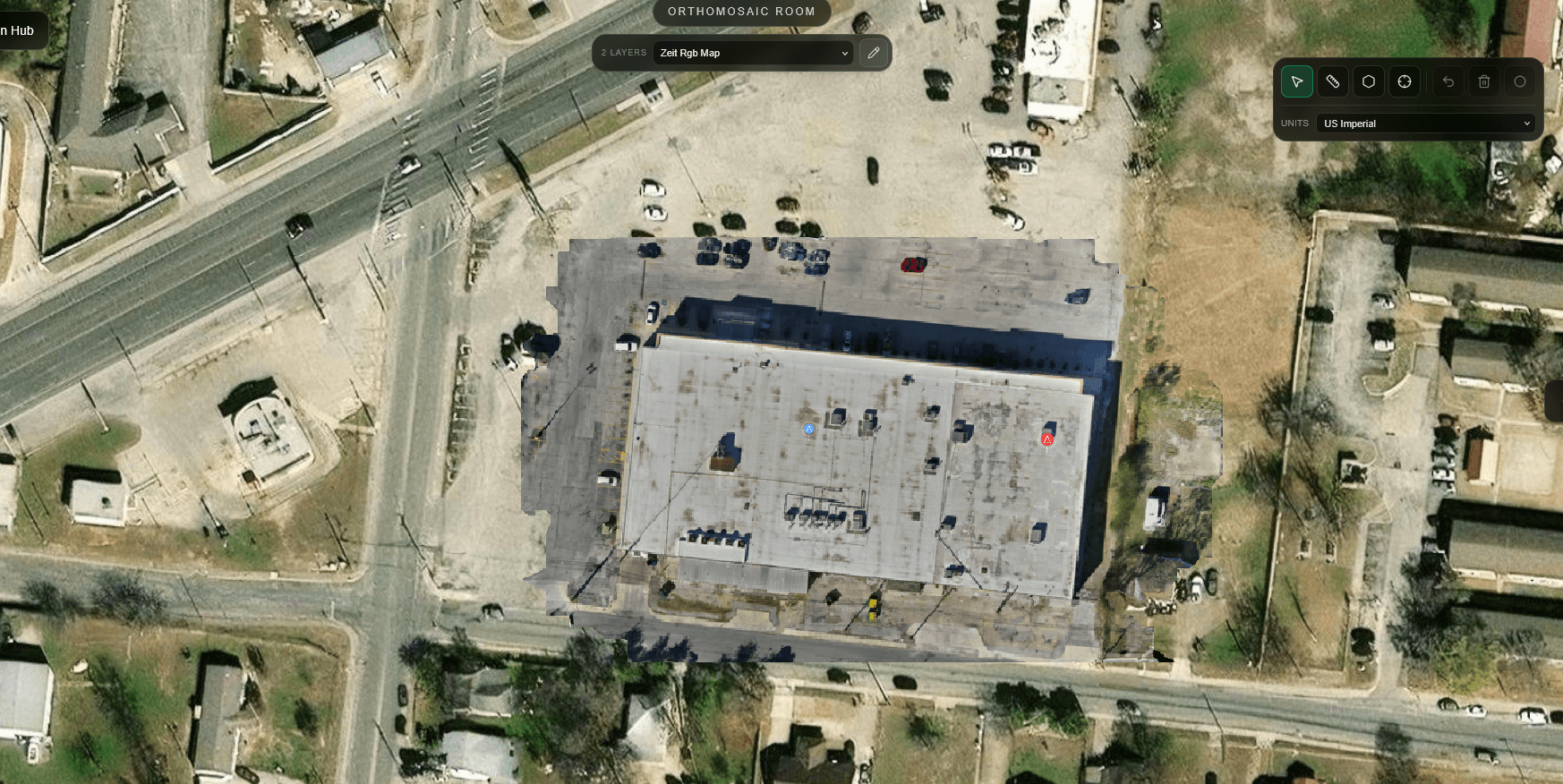
Orthomosaic delivery interface for client-facing mapping review

Orthomosaic Delivery

Host and present GeoTIFF orthomosaics for mapping and inspection review—so geospatial deliverables stay tied to the mission.

  • Orthomosaic map rooms for hosted GeoTIFF review
  • Map annotations for site notes and findings
  • Distance, area, and coordinate measurements when georeferenced
  • Additional map layers you can switch among during review
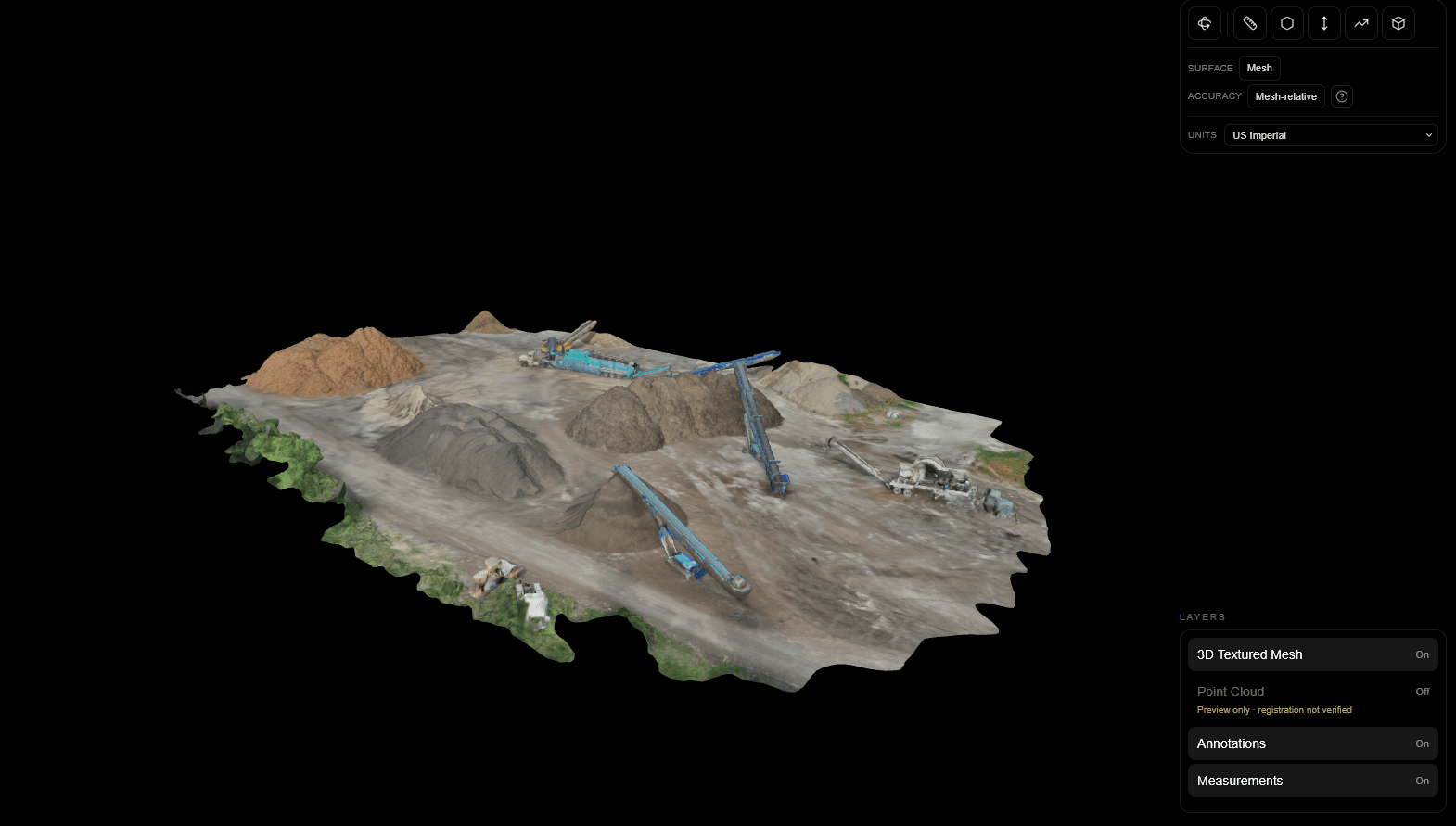
3D model viewer for reality capture and photogrammetry outputs

3D Space & reality capture outputs

Deliver photogrammetry meshes and related 3D review in a dedicated Space room—alongside measurements and optional dense point-cloud layers.

  • OBJ-based 3D mesh delivery for site and structure review
  • Interactive 3D measurements including distance, area, height, slope, and volume
  • Optional aligned point-cloud layers (PLY, LAS, LAZ) in Space
  • Operator 3DGS room for Gaussian splat / splat preview workflows
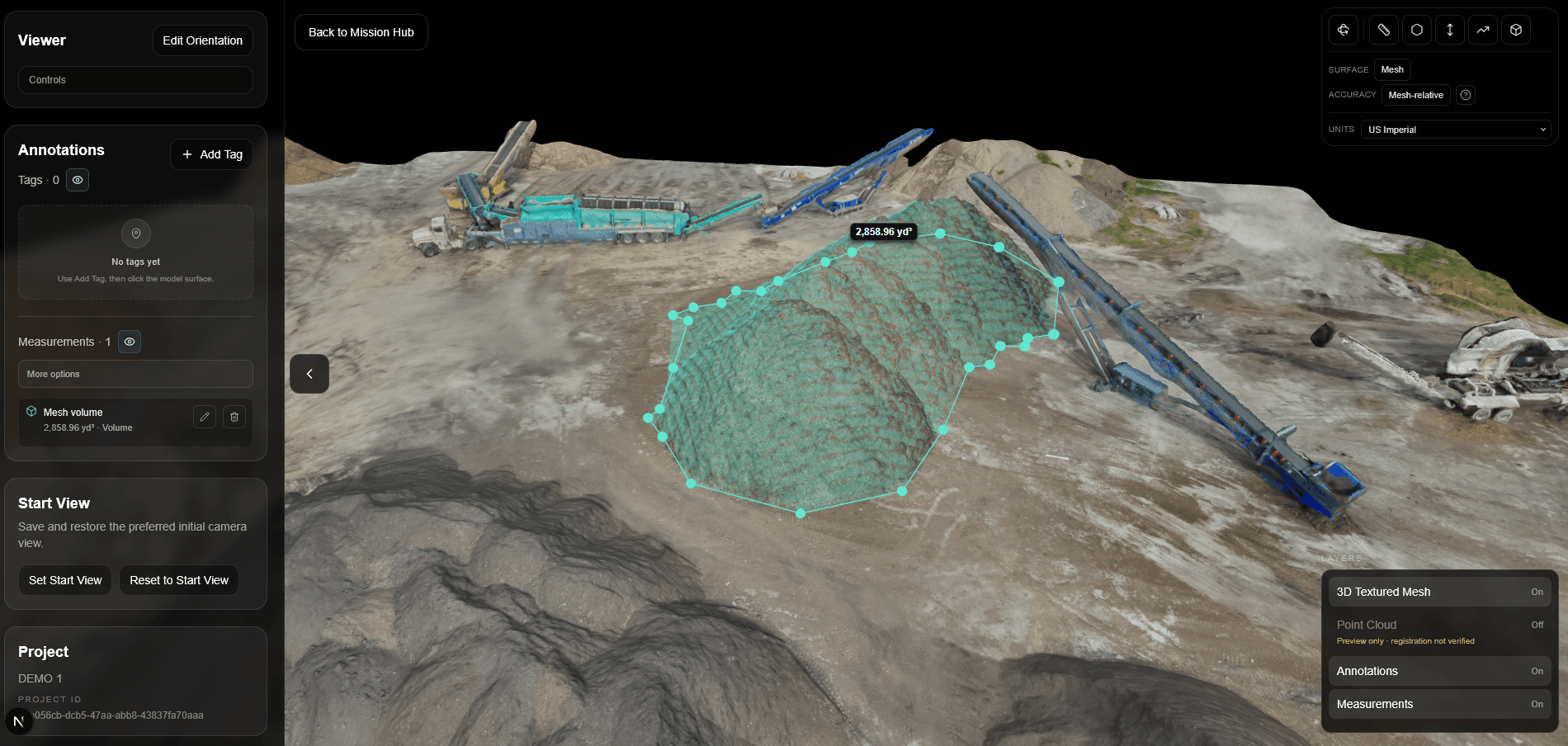
  • Measurement tools on an orthomosaic for commercial site review

    Measurements

    Measurements that stay attached to the deliverable

    Measure distances, areas, and site conditions directly inside the mission outputs, so the numbers clients rely on stay tied to the exact visual context.

    • Distance and area measurements on supported deliverables
    • Review-ready measurement context inside the project
    • Clear handoff without separate markups or disconnected notes
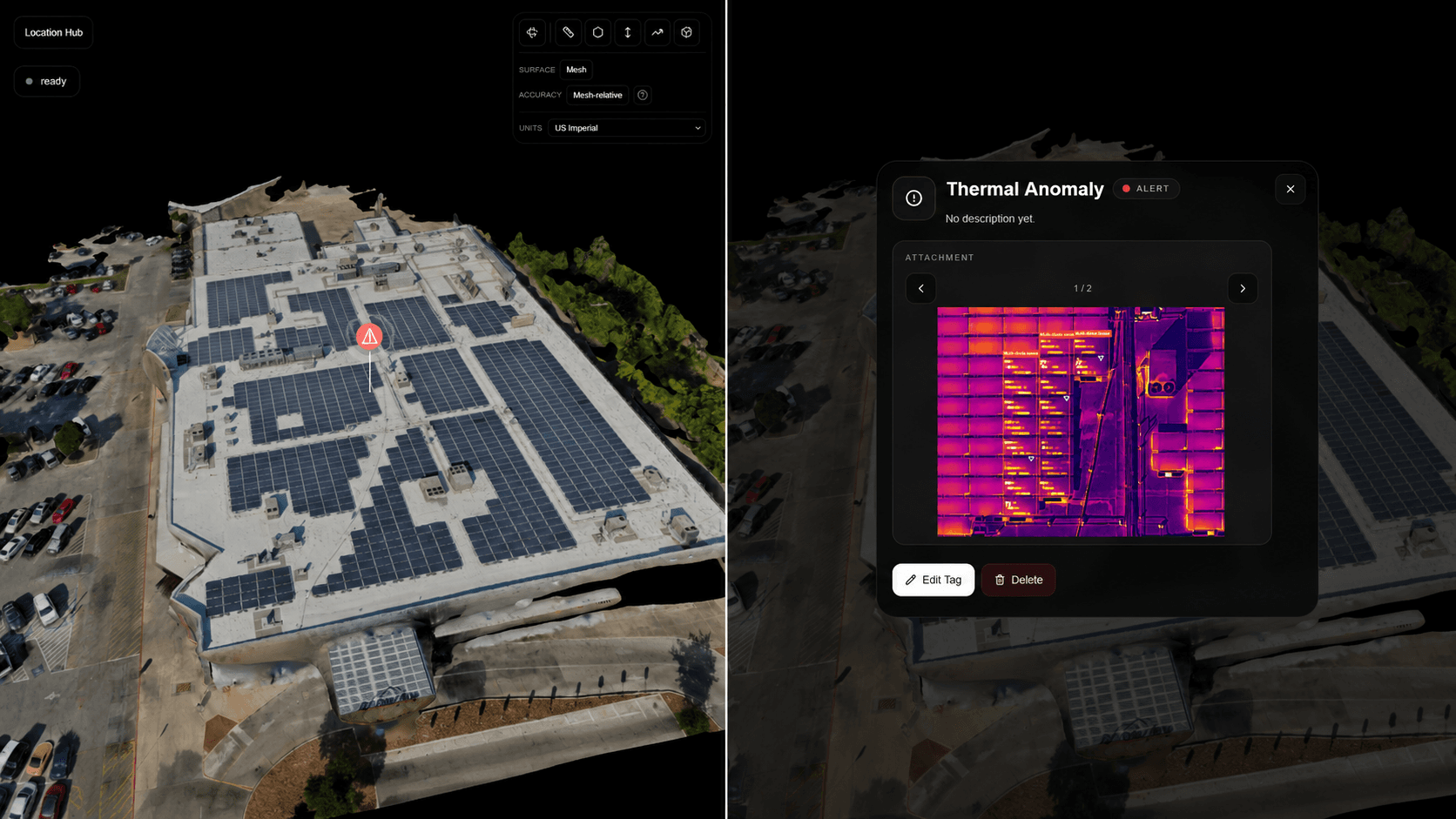
  • Annotation callouts on drone imagery for inspection and project review

    Annotations

    Annotations directly on the work

    Add notes, comments, and visual callouts directly on the maps, imagery, and review surfaces that matter, so feedback stays grounded in the deliverable instead of getting lost in email threads.

    • Notes and callouts attached to the relevant output
    • Review context that stays with the project
    • Cleaner internal and client communication
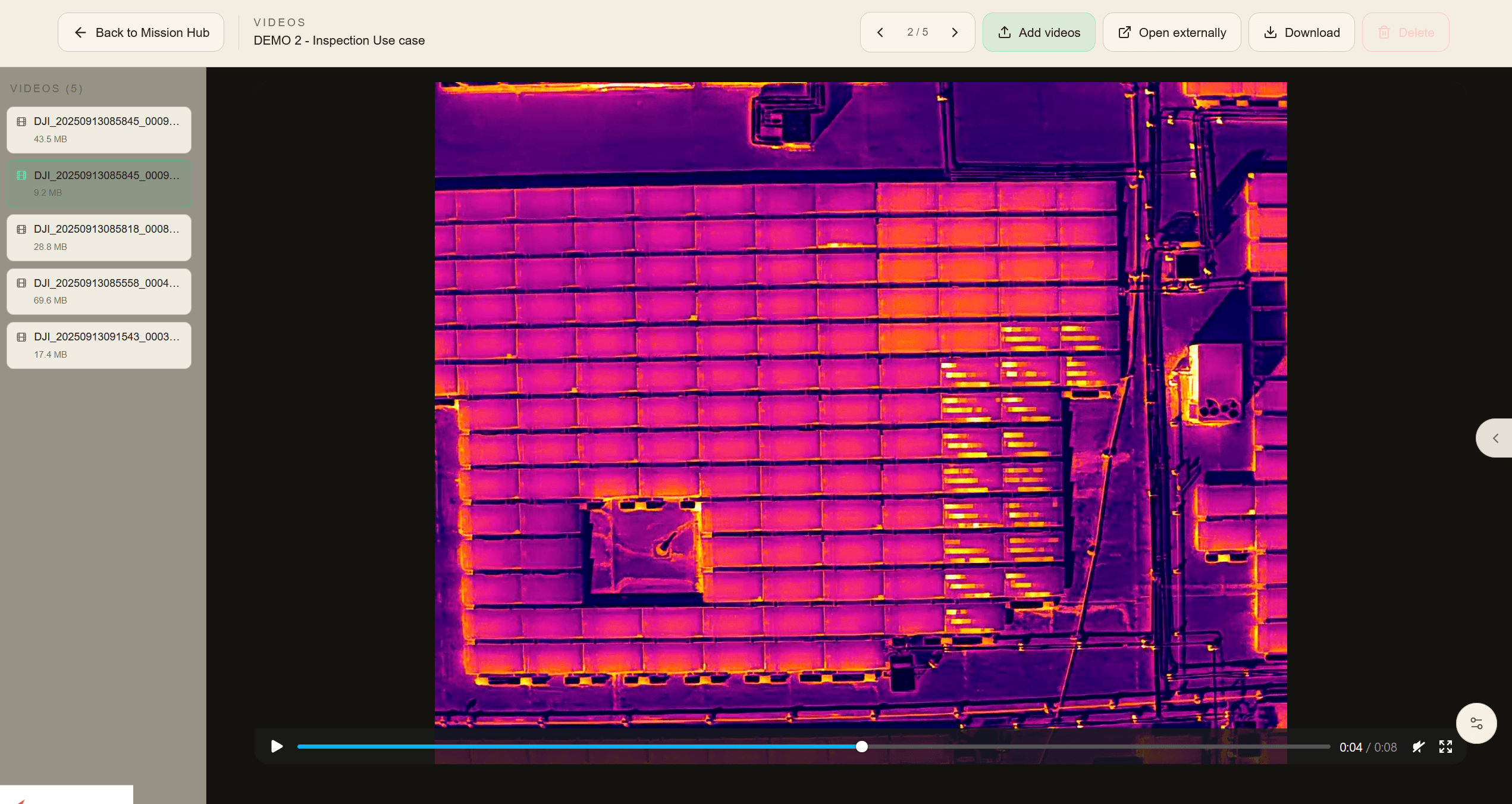
  • Hosted drone progress video playing in a SpearAtlas project video room

    Video

    Video rooms for progress and review

    Keep project video in a dedicated viewing space so teams can present progress footage, walkthroughs, and capture context without sending large files around separately.

    • Hosted mission and progress video
    • Review-friendly playback inside the project
    • Better delivery than scattered file links
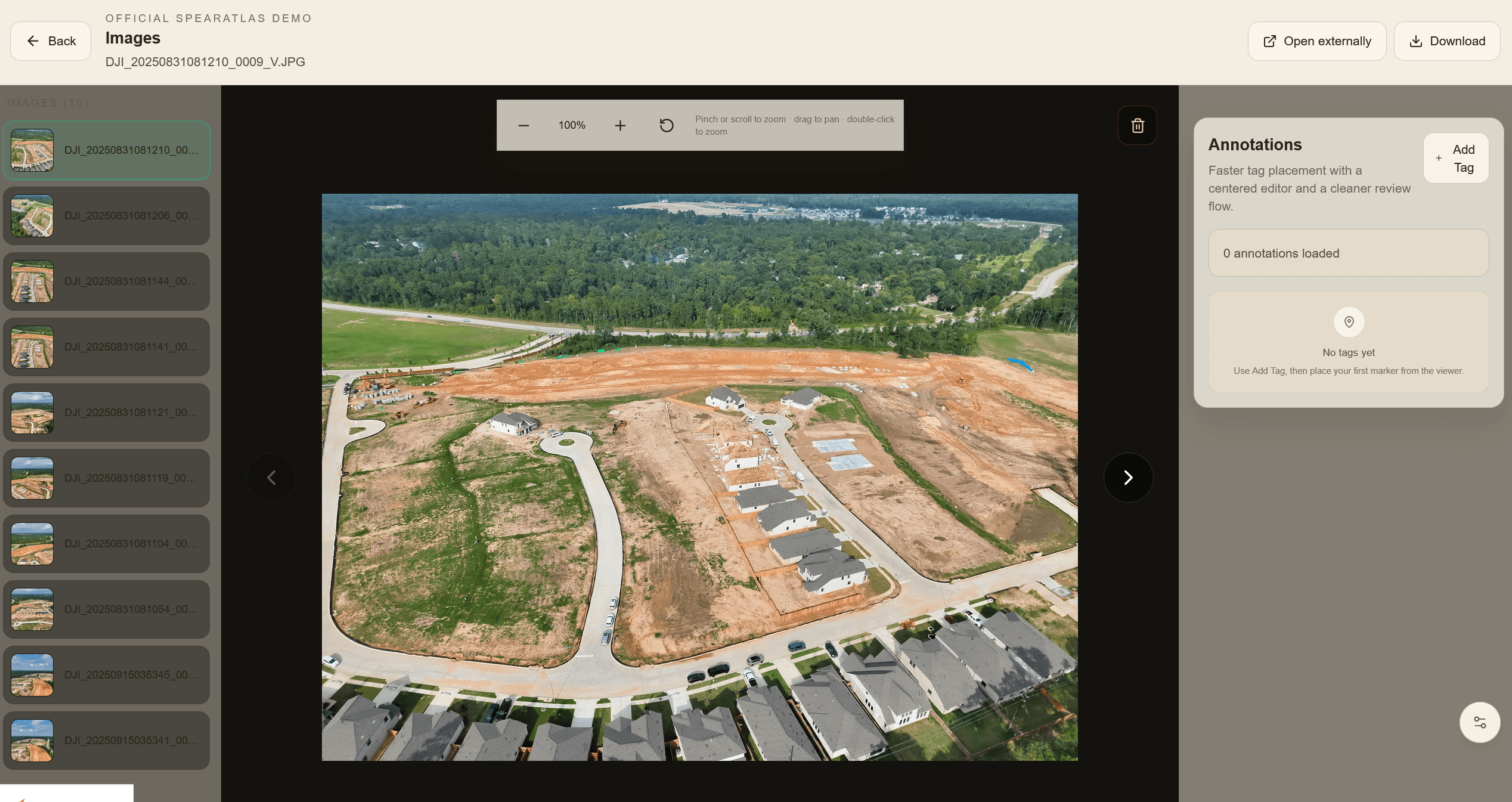
  • Organized image gallery for aerial photos and inspection media in SpearAtlas

    Images

    Images organized for inspection and site review

    Store inspection photos, progress captures, and supporting site imagery in one structured place so reviewers can quickly find the visuals tied to the mission.

    • Organized image delivery by project
    • Easier visual review for field and client teams
    • Photos stay connected to the rest of the deliverables
  • Client-facing PDF report delivered with a commercial mapping project mission

    PDF Reports

    PDF reports delivered with the mission

    Keep client-facing PDF reports attached to the same project workspace as the maps, media, and supporting files, so final delivery feels complete and professional.

    • Client-ready report hosting
    • Reports connected to the related outputs
    • Cleaner final project handoff
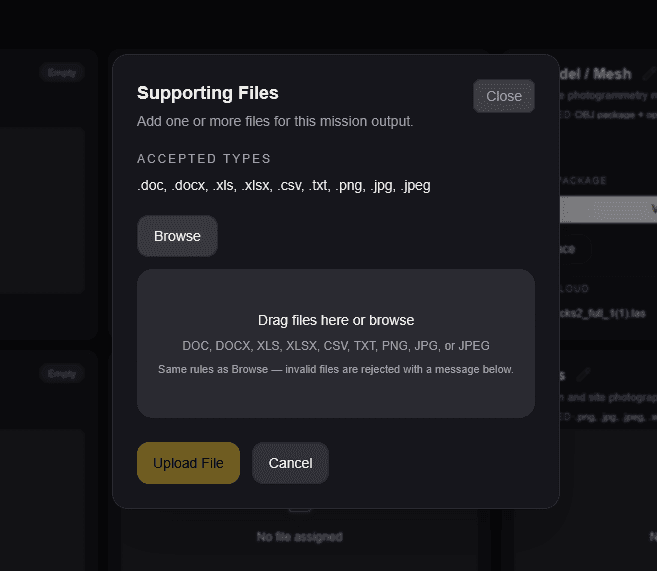
  • SpearAtlas Supporting Files upload interface showing accepted file types and drag-and-drop upload controls

    Supporting Files

    Supporting files kept with the mission

    Keep source documents, spreadsheets, reference images, field notes, and other project files attached to the same mission workspace so clients and teams can access the complete delivery package in one place.

    • Common office, text, image, and reference-file formats (.doc, .docx, .xls, .xlsx, .csv, .txt, .png, .jpg, .jpeg)
    • Supporting documents remain connected to the relevant mission
    • Cleaner handoff without separate folders or disconnected file links
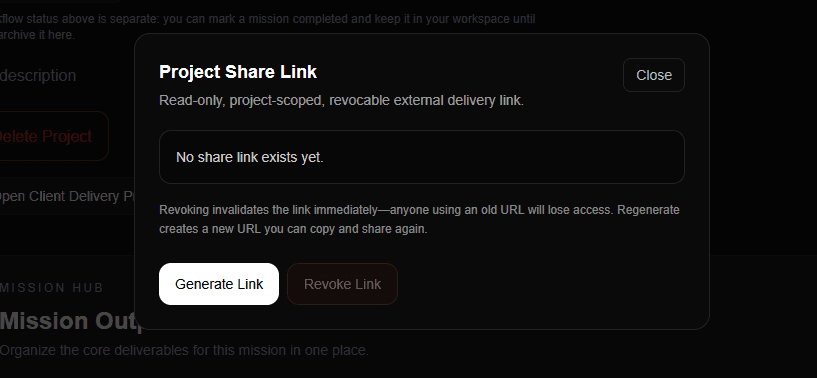
Client-facing delivery page for organized mapping project handoff

Client-facing delivery & one project link

Replace messy handoffs with a curated, read-only client experience—one professional link instead of a file dump.

  • Shareable project links with curated deliverable rooms
  • Client Delivery Preview for operators before send
  • Optional presenter name and company on delivery
  • Read-only framing so clients review, not dig through folders

Built for the final handoff across real capture workflows

Whether the mission is roof inspection, mapping, construction progress, solar review, property documentation, or reality capture, the challenge is the same: turning scattered outputs into a client-ready delivery experience.

  • Roof inspections

    Photos, PDF reports, notes, and site context

    One client-ready delivery space so findings stay together instead of split across email and folders.

  • Construction progress

    Maps, progress media, reports, and site updates

    Stakeholders review the mission package without assembling scattered links themselves.

  • Mapping projects

    Orthomosaics, models, support files, and review context

    Geospatial outputs land in one organized handoff—not separate viewers and file dumps.

  • Solar & site review

    Imagery, reports, measurements, and annotations

    Numbers and notes stay attached to the same mission clients open for review.

  • Property documentation

    Media and supporting files

    Presented in a polished shareable project link clients can navigate without digging.

  • Reality capture

    Meshes, orthomosaics, and related capture outputs

    Structure and review clarity for photogrammetry work that usually gets messy at delivery.

A foundation for guides, updates, and feature explainers

This section is structured to grow—product updates today, deeper educational and feature content as SpearAtlas expands.

View product updates

Give every mapping project a cleaner delivery experience

Create a project, organize mission deliverables, and send clients one professional link for maps, models, point clouds, reports, imagery, video, and supporting files.